Pinterest is such a magical place. It’s the land of inspiration, discovery, and getting answers to your burning questions. Plus, it’s somewhere that is ranked as being a positive space that elicits positive feelings from users. In today’s data and age it’s tough to find that with a social platform!
Pinterest isn’t social media, it’s a visual search engine. Think of it as being similar to Google and less like Instagram. While Pinterest started out as a digital bulletin board of sorts, it’s evolved so much over the years. It’s now a great place to connect and find other users who provide inspiration, ideas, and solutions to your queries.
So you want to find and follow someone on Pinterest? Let’s dive into how to do that!

Creating a Pinterest Account
If you are new to Pinterest and have never used the platform before, you’ll want to start by creating a Pinterest Account. You can learn more about creating a Pinterest Account here at Pinterest.com and you can sign up here! 👇🏼
One of the first things you’ll need to do when joining the Pinterest community is read and review the community guidelines and privacy policy to ensure you agree to comply with Pinterest’s Terms. From there you’re going to follow these steps:
1. Sign up using the above button
2. Enter your email, create a password, and provide your birthdate.
3. Click Continue and then Next.
4. Provide personal identification and location information.
5. Click Done

Existing Pinterest users can skip this step.
You will now be taken to the home feed once your account setup is complete.
How to find someone on Pinterest
Okay, so when it comes to finding people there are multiple ways to go about this on Pinterest. Here are some of the most common ways you can find someone. These instructions are good for personal Pinterest accounts and business owners’ Pinterest accounts as well.
1. Using the Pinterest Search Bar.
When on a desktop you can navigate from the home screen to the Pinterest Search bar quickly. Up near the top right of the webpage, you can find a magnifying glass, if you click this it will open the search box. You can then enter into the search bar the topic or Pinterest profile name you want to search. It will show relevant Pinterest accounts that are a good fit for your search in Pinterest’s algorithm.
Here is an example when searching ” Mom Blogger”.

From here you can click the profile that interests you, if you like their Pinterest content and want to follow them you can click the red “Follow” button.

2. Connecting through Social Media
If you follow someone on social media that you’re interested in their Pinterest content and want to become one of their Pinterest followers here are two of the best ways to do this. If you click their link in the bio/ links section there is likely a Pinterest Icon. You can click this and it will take you to Pinterest.
From there you can explore their Pinterest page and click the follow button. When you are following someone the follow button will now say the following button. The second way is to connect with their and ask if they have a Pinterest Account and link you can follow to go to their Pinterest profile!

3. Home Feed/ Explore Tab
Lastly, you can use your home feed to find creators that you like and connect with! This is an easy way to find creators that you naturally like their content as Pinterest has curated your home feed based on your saved pins and shown you pins of similar interests. This will show new people on your feed, and some existing Pinterest followers.
This is an excellent way to browse content quickly and then follow accounts you like! You will see account creators’ profile pictures and their Pinterest name, click that to be talked to their Pinterest account where you can follow them.
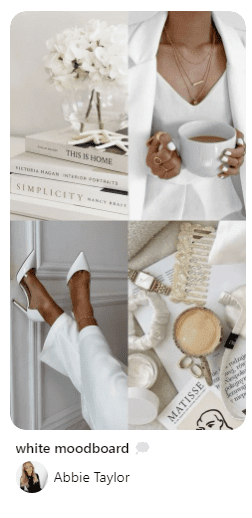
Why follow someone on Pinterest?
So what’s the benefit of following someone on Pinterest? Like most social media platforms, this will show their content on your home feed which helps you see new content, and existing content they have! Their profile will appear in your search results when you search keywords that align with their content (if they’re a business creator account). For personal accounts following someone can help you get helpful content quicker and faster straight on your home feed, and help you easily save pins to your own boards.
With a Pinterest Business Account, following accounts that are in your niche is a simple way to help Pinterest understand your content and keywords.
Does someone get notified when you follow them? Yes, they do! They will get a notification next time they are in Pinterest showing their follow count has increased and who followed them/ joined their Pinterest audience.
When you follow someone you can also easily comment on their pins and send them direct messages right to their inbox. If you do not follow someone your message will still show in their inbox, however, they will need to review and approve it first before you can begin communicating.

Gaining followers as a Pinterest Business Account
Are you an online business owner who is using Pinterest for your marketing strategy? Then let’s dive into how you can gain followers and increase your follower count on Pinterest. First off, it’s a good idea to ensure your Pinterest Profile Name and About Description are optimized with the keywords you want to rank for. This will help your target audience find you and they’re likely to click the Pinterest follow button if they see your content is what they’re looking for. Be sure to include relevant keywords found on Pinterest, not just how you classify your business. For example, an interior design blog can focus on terms like home decor, interior design, remodeling on a budget… etc. This will help you appear on the main feed of your ideal audience when using keywords and terms they’re searching.
Not sure where to start with making a Pinterest board or how to find Pinterest keywords? Good news, I’ve got some blog posts that help break these parts of your Pinterest Marketing Strategy down so it’s easy to know you’re using keywords and SEO in the right place. Remember that your SEO should be on individual pins, your boards, and over your account to help active users find your account and generate a loyal following!
Not sure where to start with a Pinterest Business Account – check out my freebie here!
Conclusion
In conclusion, Pinterest stands out as a positive and inspiring platform in today’s digital age. As a visual search engine, it offers an immersive experience for discovering new ideas and connecting with others who share your interests. By finding and following users on Pinterest, you can build a network of inspiration and support, whether you’re looking for personal or business connections. With the steps outlined in this guide, you’re now equipped to make the most of your Pinterest experience by engaging with other users and growing your own following.